This article walks you through how to purchase a phone number within a Wellconnect Business Suite account, enabling SMS and voice functionality for outreach, communication and campaigns.
TABLE OF CONTENTS
Why Purchase a Phone Number in WBS?
Purchasing a phone number in Wellconnect Business Suite allows you to send and receive calls and texts directly from the platform. This gives you access to a wide range of local and toll-free numbers which is essential for automating outreach, managing communications, and building a seamless experience across funnels, campaigns, and conversations.
Key Benefits of Purchasing a Phone Number
- Enables two-way SMS and calling inside Wellconnect Business Suite.
- Establishes local or toll-free presence for branding and trust.
- Powers automated workflows, call routing, and voicemail.
- Integrates with users, pipelines, and campaigns for seamless communication.
- Prevents the need to use personal phone numbers for business tasks.
Steps to Purchase a Phone Number
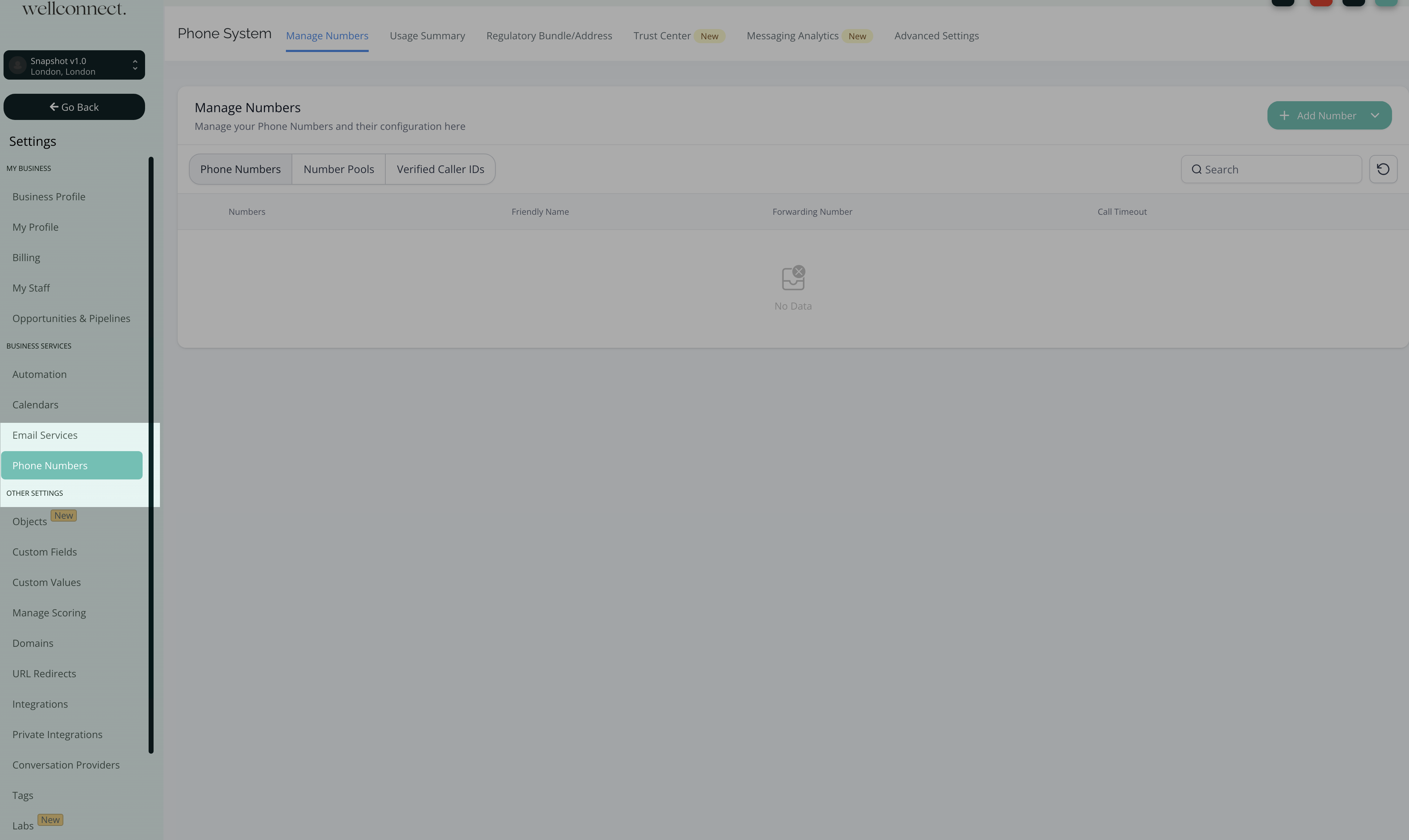
Step 1: Navigate to Phone Number Settings
- Click on Settings from your account.
- Select PhoneNumbers
- Click on the + Add Number button and select Add Phone Number from the drop-down.
Step 2: Select Country and Number
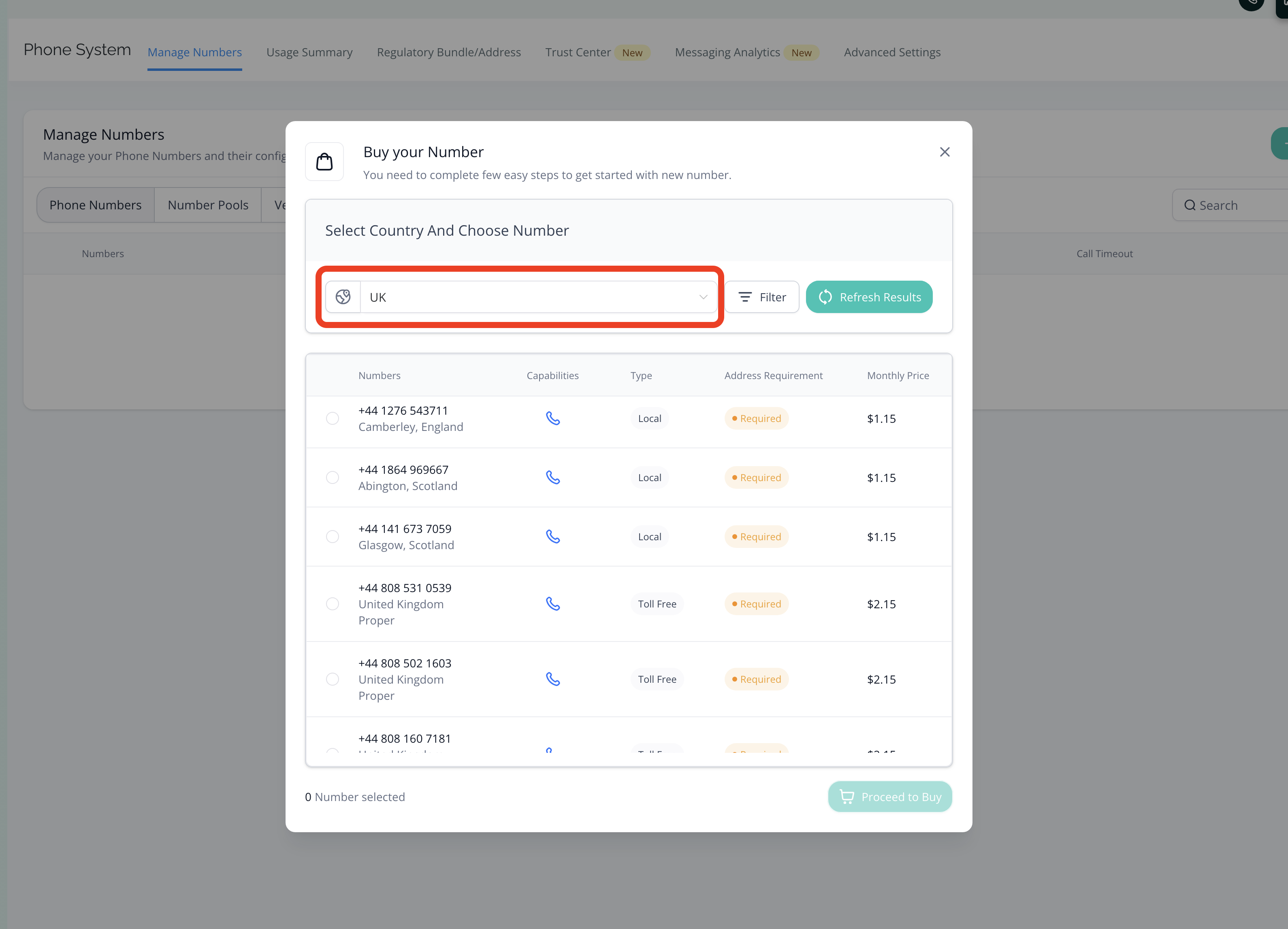
- Select your desired Country from the list of available countries.
- You can choose your Number from the available list of Local or Toll Free numbers.
- Use the Refresh Results button to get a new list of available numbers.
Search Filters
You can use the filter option to search your desirable numbers on the basis of:
- Digit or Phrases and match it with (first, last or any) part of the number.
- Capabilities (SMS, MMS, Voice)
- Number Type (Local or Toll Free)
Step 3: Buy a Number
- Select the number of your choice.
- Click on Proceed to Buy button to complete the purchase.
Regulatory Requirements for International Phone Numbers
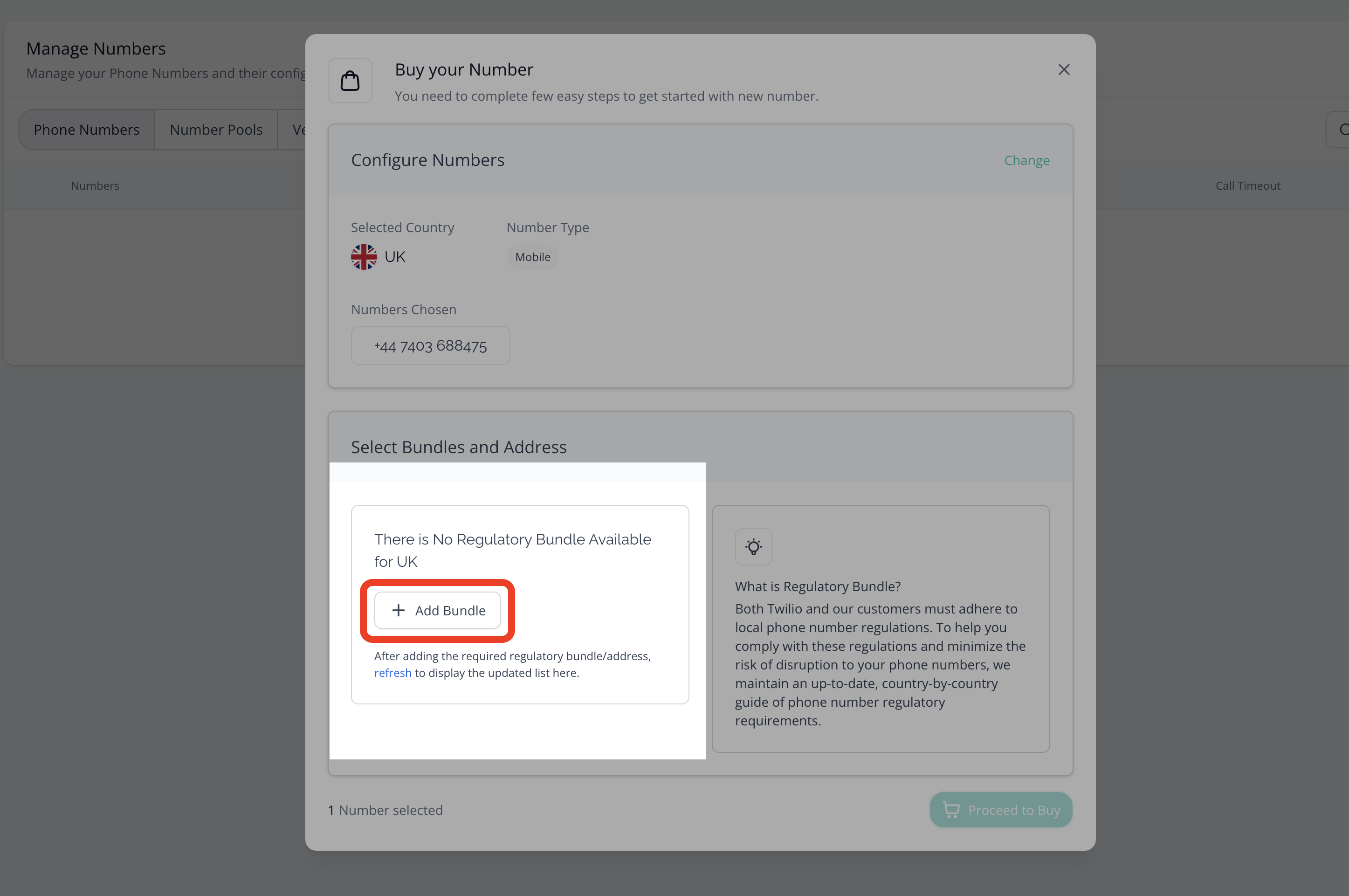
A regulatory Bundle or Address is required when purchasing phone numbers in most countries outside the USA and Canada.
Checkout our Guide on: Regulatory Bundle and Address Creation for Accounts
Frequently Asked Questions
Q: Can I purchase multiple phone numbers for the same sub-account?
Yes, you can purchase multiple numbers. This is helpful for managing different departments, services, or geographic regions within the same sub-account.
Q: Do I need a separate number for each user?
Not necessarily. One number can serve multiple users if routed correctly, but for personalized outbound messaging and tracking, dedicated numbers per user are recommended.
Q: Will I be charged monthly for purchased phone numbers?
Yes. you will be charged a small monthly rental fee for each number. Rates vary based on the type (local or toll-free) and region.
Was this article helpful?
That’s Great!
Thank you for your feedback
Sorry! We couldn't be helpful
Thank you for your feedback
Feedback sent
We appreciate your effort and will try to fix the article